Showing posts with label edtech. Show all posts

Sunday, September 29, 2013

Try it Mikey You Might Like It

Do you remember Mikey?


One of my biggest pet peeves is the misuse or under utilization of technology in the classroom how can such powerful tools for creating knowledge and aiding communication be ignored by so many educators?  How do teachers dig in and refuse to utilize computers in the classroom for anything more than a word processor or electronic flashcards?  There are sooooo many exciting and new Web 2.0 tools out there and educators are behaving like children refusing to try new cereal.

I found it ironic that last week in the height of looming deadlines for both school and work along with a particular hectic schedule on the home front I was asked in my Technology in Education class to utilize a VoiceThread for a class discussion tread.  The problem was this was a new communication tool that I had no previous exposure to and a very limited time to learn.  My initial gut response was not positive I resisted even opening the site let alone posting I would have given anything to avoid using something new at that point.  I get it ...I understand we have limited time but sometimes if you try it you may like it just like Mikey.

While I do find listening to posts more time consuming than downloading or copying a text thread for later review I found posting to be less labor intensive as I could choose to speak, video or type my responses into the thread without the excessive worrying about grammar and spelling errors.  I pushed my internal demons aside and gave it a try and I have to say like Mikey I liked it.

With VoiceThread you are able to create more of a "living" online collaborative space. VoiceThread is a totally web-based application that allows you to place collections of media like images, videos, documents, and presentations at the center of an asynchronous conversation. A VoiceThread allows people to have conversations and to make comments using any mix of text, a microphone, a web cam, a telephone, or uploaded audio file. VoiceThread runs inside your web browser, so there is no software to download, install, or update.

Here are some additional resources for ideas on using VoiceThread in the classroom: 

VoiceThread 4 Education - comprehensive collection of VoiceThread examples from students and teachers of all ages and groups. The purpose of this wiki is to gather examples of how educators are using Voicethread in their classrooms (or for professional development) and to share those examples.

7 Things You Should Know About VoiceTread - Educase


Digitally Speaking -  Using VoiceThread for Digital Conversations
Beginning with email and instant messages and stretching to texting and synchronous video web conferencing, digital dialogue has gradually become a common element of everyday life for today's students - another opportunity to "gather."

What are some ways you could see VoiceTread being used in the classroom? 

Monday, September 23, 2013

Math Monsters


Math Monsters are what I call the group of kids I work on a daily basis providing intensive intervention for Math. I love taking what seemed impossible and making it fun.  Finding ways to make math fun takes some work at times but I get a great deal of guidance and a plethora of ideas from two blogs in particular.


Two Blogs I follow every week:

Math Coaches Corner by Donna Boucher

A veteran  K-5 Instructional Mathematics Coach. Donna writes frequent blog posts on the subject of Elementary Math.  She provides ideas for hands on activities and instructions on how to break math into small manageable chunks for students.


Flapjack Educational Resources by Tabitha Carro

You have to love her Blog tag line "Have Fun the Learning Will Come" Tabitha is a Spanish partial-immersion math and science 4th grade teacher who creates some amazing math and science activities.  Tabitha has created some great QR Codes.

There is a great entry on this blog site about QR Codes in the Classroom. It lays out everything you need to know to create activities using QR codes.

Take a look at these two blogs and let me know what you think.

Bat Signal?... No It's a Tweet!


Is That a Bat Signal?  No It's a Tweet


I just dawned on me that my Twitter account @kim_mccoypk has become by own personal Bat Signal when I am stuck or need help I now go to Twitter and post my question, concern or need like Gotham in need of Batman.  And to my surprise the superheros in my PLN come to the rescue. 

When I was looking for a keyboard typing program because the district was still deciding what software to purchase I flashed the Bat Signal (tweeted for suggestions) in a very short time I had several suggestions to research.  Within 48 hours the research was done, students entered into the teacher management tool, log ins  assigned and we had begun our keyboarding tutorials.  The district is still researching and working on making a software purchase but our students are well on their way to becoming lightning fast keyboardists and loving it.

Typingweb.com
TypingWeb is a free online typing tutor & keyboarding tutorial for typists of all skill levels. TypingWeb includes entertaining typing games, typing tests, and free official typing certification.
  • Completely Free
  • Perfect for All Ages
  • Lessons for All Skill Levels
  • Teacher Portal to monitor progress
I tweeted a random comment on how I was apprehensive of the gaming portion of my Emerging Instructional Technology Class and received a tweet back from Michael Matera  @mrmatera

author of Mr Matera Musings who blogs about gamification of the classroom.  Below you will find a link to his article Tech tools for the gamified classroom.  He also suggested I take a look at edbean another site full of wonderful articles by insightful educators.  As I was perusing these websites I notices that not only had @mrmatera made suggestions and offer support but he was now following me on twitter as well how cool is that?

I found out this weekend that the Bat Signal can work two ways.  I noticed a blog that @emma_george8 who is part of my PLN would be interested in.  How did I know she would be interested in this particular blog you ask?  I know because I read her blog Little titbits by Emma George she is studying to be a Spanish teacher so I thought she might be interested in one of my favorite blogs Flap Jack Educational Resources.

Images from Flapjackeducationalresources.com

I love this blog because of the wonderfully engaging activities she creates. I have found multiple QR code game ideas on this sight and have purchased many of her resources from the website Teachers Pay Teachers.  Many of the resources on this site come in Spanish as well as English.


When Emma tweeted back a thank you for the resource the realization solidified that Twitter can be an effective Bat Signal for asking for or providing assistance.


How will you use your "Bat Signal" this week?


Sunday, September 22, 2013

Time to Stop Talking the Talk and Start Walking the Walk

I think we can all talk the talk about the benefits of integrating technology into the classroom and how we need better training and more technology in our educational system, but talking the talk is not going to get it done.  It's time to start to walk the walk even if it is a baby step at a time.

This last week I decide it was time to stop talking and start walking.  Instead of trying to sell the benifets of technology this week I decided to show the benefits to my colleges.

The fifth grade teachers were having difficulties solving the issues of students continually forgetting their study guides for upcoming tests.  They managed to get daily planners home but the study guides were constantly being misplaced.  The other issue we were having was that students were forgetting math lessons taught in the morning when it was time to practice the math at home.  The next day as soon as they would see the hints or work laid out on the whiteboard it was all the trigger most needed to be successful on their own.


Step: 1   Create a QR to tape into daily planner to provide a link to study guides via smart phones or tablets to enable students to have access to study materials in the car or waiting at practice.  I started out a simple black and white QR Code created by Google URL Shortener but as other teachers requested  QR codes for their study guides it became apparent that the plain black and white QR code was not going to work well to separate out study guides.  I then changed to using Visualead to generate QR codes within pictures that tied back to particular subjects.  Here is the QR code used for the most recent Social Studies Chapter Study Guide: Columbus and the Exploration of the New World.

Social Studies - Study Guide 


Step: 2   Create Classroom Blog KayPow5.blogspot.com a blog that would communicate classroom activities for day, links to practice games and interesting sights as well as parent reminders.  Initially the teacher I am working with dismissed the idea as too much work and not of much value.  She stated very clearly that if I wanted to create the blog and do all the posting it would be fine with her but she did not have the time or the technological knowledge to contribute.

I posted the first several postings complete with whiteboard photos of classroom explanations, links to games, videos and activities to reinforces the math concepts learned, funny visuals, links to the different study guides and information about what interesting things happened in the classroom throughout the day. 


I left a link to the blog open on the teachers laptop and continued to add snippets through out the day never taking more than a minute or two to add additional information.  Quickly the kids began to pipe in with reminders of what should be included on the daily blog.  I showed the teacher how to look at the statistical information and she watched as I posted bits and pieces throughout the day.

On Friday last week when I came back to the classroom after an appointment outside the building I was meet by a very bubbly fifth grade teacher who couldn't wait to tell me she posted three times on the blog while I was gone, BY HERSELF!!!!!    I promptly gave her two stickers for trying something new and unknown;}  I feel like I created a little chink in the resistances to technology last week.

The question I have for you is what can you do to help soften the resistance to technology and show that you are not only willing to talk the talk but walk the walk as well?

Tuesday, April 23, 2013

Digital Bookmarking and Cloud Based Storage

I am currently working to better embrace digital bookmarking and cloud based storage tools.  I am the type of person who has historically pack-ratted any and all information that I may find useful at another date.  Unfortunately, I am also a gigantic procrastinator so my filing and organizing never seems to get done.

Through the use of Diigo I have been able to resist my first response to print every article of interest. Now, instead I simply bookmark and add tags to items of interest.  Low and behold the filing and organizing is done at the same time and the mess of loose papers is dwindling fast!

Diigo -digital bookmarking

Pintrest - visually addictive bookmarking site. You can search by thematic unit, curriculum, season, etc.

LiveBinders - Web based three ring binders to store and share information in an organized searchable format. Just search "education" to view countless binders full of interesting information and wonderful resources. Here is a link to one of my most recent finds.
image from New Teacher Chat #ntchat
Image from New Teacher Chat LiveBinder

Monday, April 22, 2013

STEM Education Coalition

STEM: Science, Technology, Engineering, and Math

STEM is the Science, Technology, Engineering, and Mathematics Education Coalition. STEM works to raise awareness in Congress, the Administration, and other organizations about the critical role that STEM education plays.

Members of the STEM Coalition believe that our nation must improve the way our students learn science, mathematics, technology and engineering and that the business, education, and STEM communities must work together to achieve this goal.

STEM Education Coalition 

This is a television spot that Brogan & Partners created for the National Defense Education Partnership to increase awareness of STEM and the importance in science, technology, engineering and math education because the jobs of the future will be in these areas.


Wednesday, April 17, 2013

QR Codes in the Classroom


Lately I have been exploring different ways to incorporate QR codes into the classroom.  QR codes are an easy portable way to deliver multiple types of media.

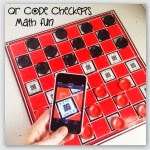
I have found multiple ideas for independent math stations utilizing QR codes as a self-check mechanism on the Flapjack Educational Resources blog.

 QR Code Math Freebies - contains multiple QR math station activities and ideas for incorporating QR codes into math class.

The Green Classroom Blog
QR Codes and Bottle Cap Fun! - Great activity for practice ordering fractions using recycled bottle caps.


Bottle Cap QR Image
Image link: Flapjack Educational Resources
 
Create your own QR codes through Visualead's Qurify2  the possibilities are endless.

This next week I would like to work with students to produce QR Codes to link fellow students to self produced book reviews for classroom reading libraries.  The QR codes will link future students to written, video or voice recordings of book reviews shared by fellow fourth grade students. These links can be used to preview and help select reading material for future classes.

Friday, March 22, 2013

Laptops, and twitter and blogs! Oh, my!

When I started my Educational Technology & Design class at UNI I felt like Dorothy in the Wizard of Oz, tiptoeing into the forest frightened and scared to move forward.

I can honestly say that three months ago I thought Twitter was the dumbest app ever.  How could anyone ever find a use for something so trivial and useless? In my opinion Twitter was for people who had too much time and not enough to do.  I would have told you without a doubt that Twitter would have no place in my life.

I stand corrected! Twitter is a wonderful tool for building a PLN (Personal Learning Network) and a tremendous source of valuable up-to-date information. My biggest issues with Twitter now are limiting the amount of time spent on it and organizing the wealth of information I glean from it on a daily basis.

Here are some of my favorite links to get you thinking about using Twitter in an educational setting.


The Ultimate Twitter Guide

The 20 Most Useful #hashtags In Education

60 Ways To Use Twitter In The Classroom By Category

5 Cool Ways of Using Twitter In Classrooms

Twitter Tools

If you are new to Twitter and wonder how to get started, take a look at the infographic  from Twiends.com. This fun 'How to Twitter' infographic will help you get going quickly, and assist you with beginner questions, such as: how to set up your Twitter account, how to start tweeting, how to use hashtags, and lists.

Infographic from Twiends.com design by @BlinR